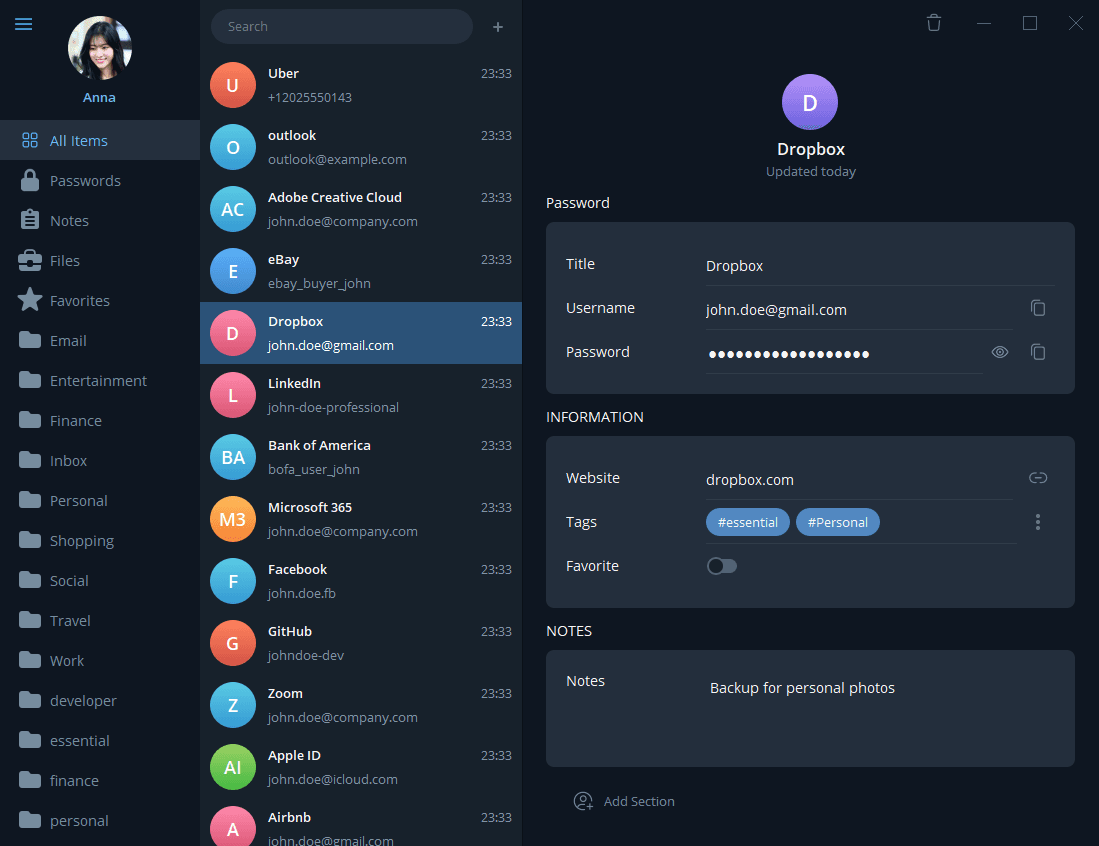
Main vault
Search and organize passwords, notes, files, folders, and favorites.
A desktop GUI vault for passwords, notes, and files, encrypted locally and stored in the Git repository you choose.
Works with the Git remote you already use
 GitHub
 GitLab
 Bitbucket
 Gitee
GiteeEncrypt locally, then sync through a Git repository you control. Argon2id and AES-256-GCM protect passwords, private notes, and confidential files—without a centralized cloud vault or a recurring SaaS subscription that holds your data hostage.
Argon2id key derivation and AES-256-GCM encryption are designed to resist offline brute-force attacks and keep vault contents confidential.
Keys and plaintext stay on your device. Your Git host stores encrypted blobs—not a vendor-hosted vault you lose if a cloud subscription lapses.
Store credentials, private notes, and confidential files in a Git-backed vault, encrypted locally on your device.
Password vault
You are not locked into a cloud vendor. Keep the vault local, on self-hosted Git, or on a major Git host—and export or migrate whenever you want.
Keep data on this machine or sync to GitHub, GitLab, Bitbucket, Gitee, or your own Git server. Whoever holds the repository holds the encrypted vault.
Export plaintext when you need a backup, audit, or migration. No proprietary lock-in if you stop using the app.
Import and export the pass (password-store) format so you can move in or out of the Unix password ecosystem.
If you do not want a centralized commercial password cloud, GitPassword keeps encryption local and uses Git for history and sync.
Typical cloud password manager tradeoffs
What GitPassword does instead
Centralized breach risk: a vendor cloud is a single target; a weak master password can be attacked offline if the vault is stolen.
Local cryptography: Argon2id (memory-hard) plus an optional Vault Secret, so offline guessing is much harder even if encrypted data leaks.
Recurring SaaS fees: monthly or yearly billing, and some products restrict access if you stop paying.
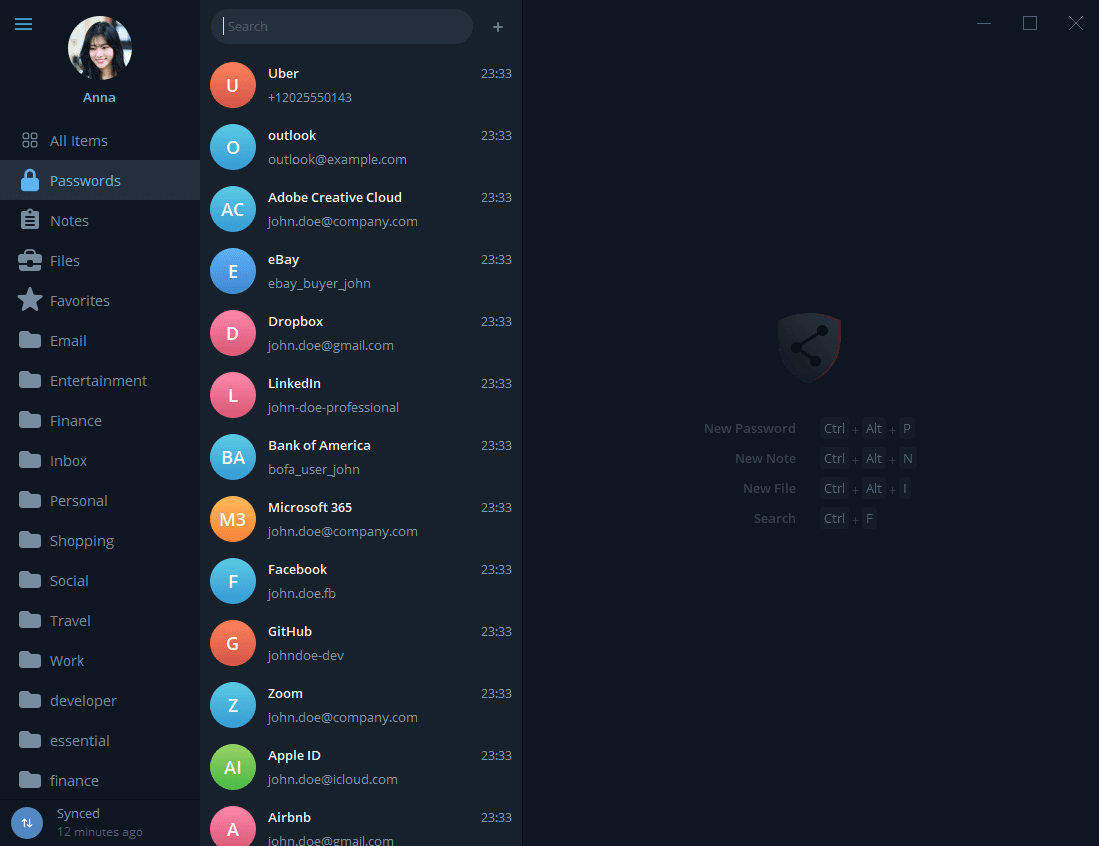
View the vault list, repository setup, and conflict recovery flows from the GitPassword desktop app.
Search and organize passwords, notes, files, folders, and favorites.
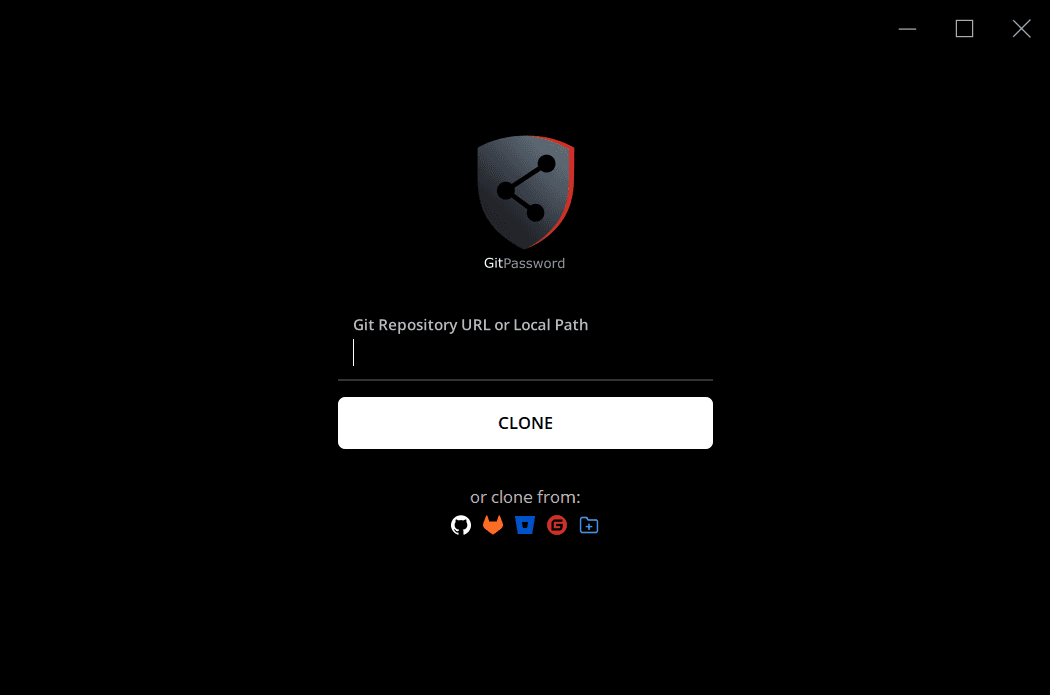
Clone or connect the Git repository that will hold your encrypted vault.
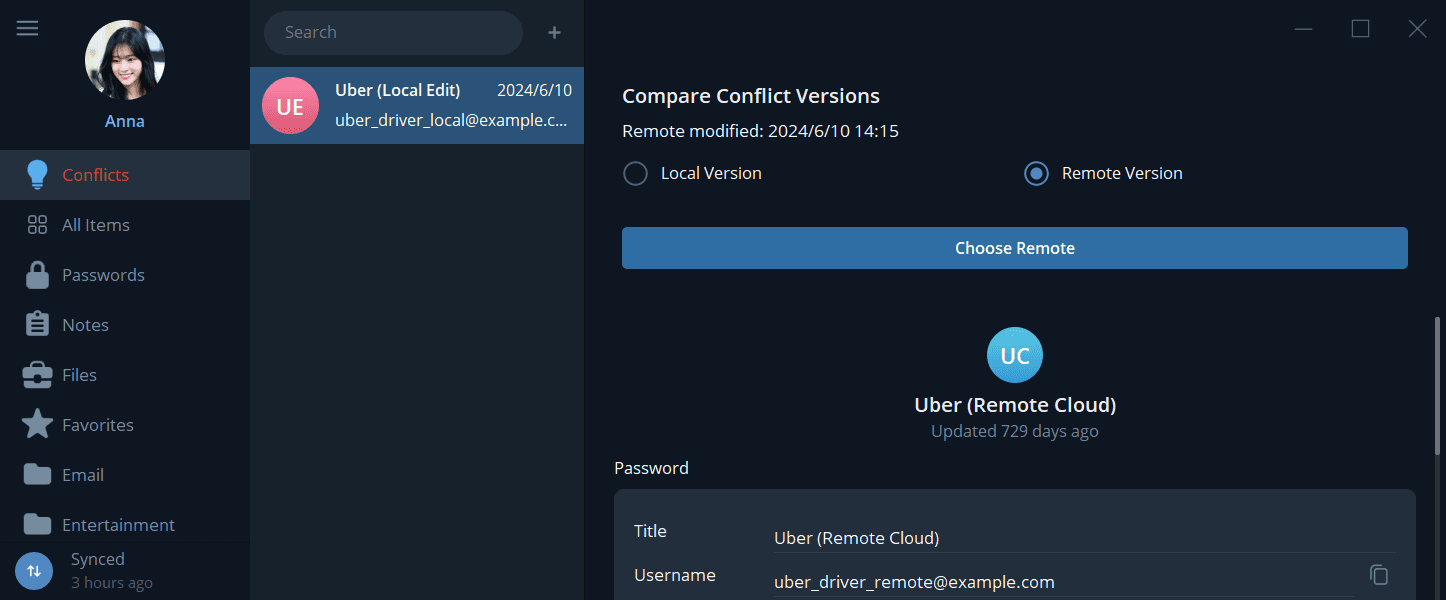
Use Git history and sync state when multiple devices change the vault.
Short answers for security, Git sync, recovery, platform support, and Microsoft Store distribution.
Use the Git remote you already have—GitHub, GitLab, Bitbucket, Gitee, self-hosted Git, or a local repository—to sync the encrypted vault.
Encrypted notes
Secure files & Git LFS
No SaaS vault subscription: you bring your own Git host. Windows is distributed through the Microsoft Store as a paid app with a free trial—not a recurring cloud-vault plan.
Proprietary formats make export and migration difficult.
Open Git workflow: a normal Git repository, so backup, cloning, and branches work the way developers already expect.
History is hard to audit when a credential is overwritten or deleted.
Git history: commits and branches give you a trail you can inspect and compare.